You changed the name above the door, launched the new website and switched on the redirects your developer recommended. Google seems fine. Then a prospect mentions that ChatGPT described your business under its old name, linked to a web address you retired months ago and suggested a competitor as the safer choice. Most rebranding SEO advice was written for Google, and it stops at redirects. AI search needs more than that, because AI tools do not have a change-of-address form.
A rebrand is one of the few moments when a business deliberately breaks the consistency AI tools rely on. For a while, two names point at one company, and nothing connects them unless you put it there. Handle that well and AI tools carry your reputation across. Handle it badly and they treat the new name as a stranger with no history.
This guide covers any planned change of identity: a new name, a new domain, a merger or a shift in what you sell. If AI is already getting your facts wrong and you are not sure why, start with our guide to defending your brand against AI hallucinations. This one is about making a change on purpose without creating those errors.
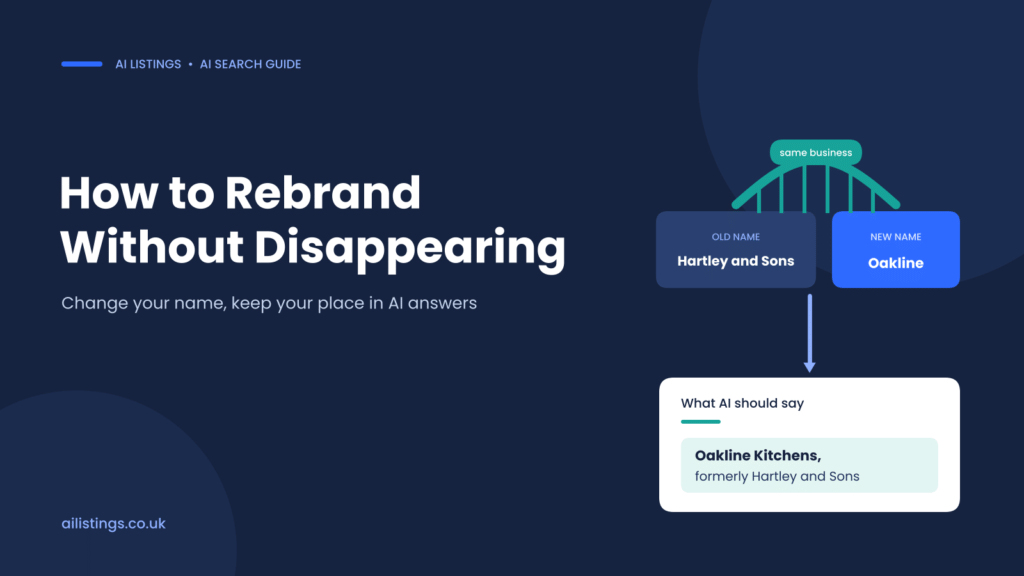
A rebrand only works in AI search when every source says the old and new names belong to the same business.
Why a rebrand is harder in AI search than in Google
Google has a formal process for moving a site. You redirect each old URL, tell Search Console about the new domain, and Google transfers signals one URL at a time. Google’s own guidance on site moves says a small to medium site can take a few weeks for most pages to move, and recommends keeping redirects for at least a year. It is slow, but it has a finish line.
AI tools have no equivalent. When someone asks ChatGPT, Gemini or Perplexity about a business, the answer is assembled from several sources that update at very different speeds. It helps to think of them as three clocks running at once.
- The live search layer. When an AI tool searches the web before it answers, it reads pages as they are now. Once your new pages are crawled, this layer can reflect the change fairly quickly.
- The wider web. Directories, review sites, press coverage, partner pages and old guest posts keep describing you as they did on the day they were written. This layer changes only when someone updates it, and that someone is usually you.
- The model’s memory. Answers drawn from what a model learned in training reflect the web as it was when the training data was collected. That layer changes only when the provider updates the model, and you cannot speed it up.
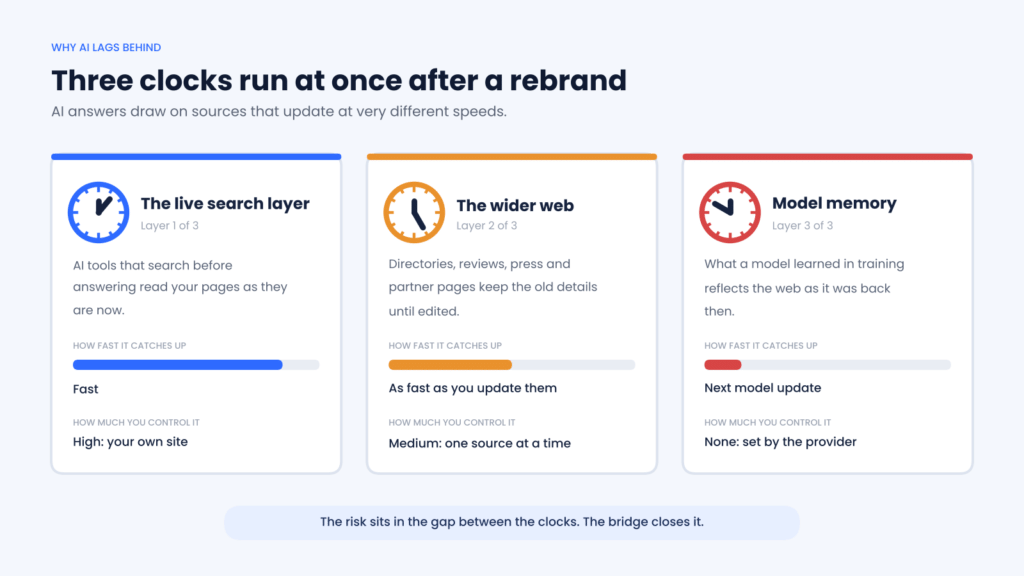
Each layer catches up at its own pace, and you control only two of them.
The risk sits in the gap between the clocks. AI tools understand businesses as entities, as our guide to entity recognition in LLMs explains. A rebrand splits that entity in two: an established firm under the old name, with reviews and a track record, and a newcomer under the new name with almost nothing. AI tools are cautious about naming businesses they cannot verify, so the newcomer struggles to be recommended while the old name slowly looks dormant. We call this the split identity problem, and most of this guide exists to prevent it.
The way ChatGPT chooses which businesses to recommend adds a twist: answers from live browsing and answers from memory work differently, so for a while after a rebrand the same question can produce two different stories about your business.
Four kinds of change and what each puts at risk
Not every rebrand carries the same risk, so start by being clear about which of these you are doing.
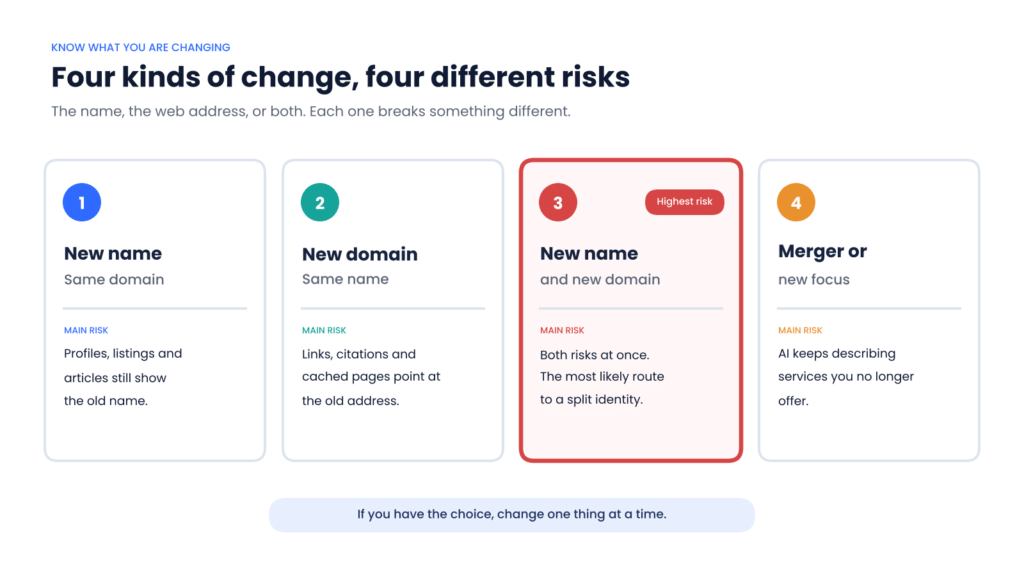
A new name and a new domain together carry the highest risk of a split identity.
New name, same domain. The web address stays put, so Google barely notices. The risk is off-site: every profile, listing and article that names you is now out of date, and AI tools may struggle to link the new name to the reputation the old one earned.
New domain, same name. There is less confusion about who you are, but every link, citation and cached URL points at the old address. This is the classic site migration, where the technical work matters most. If it is done badly, AI tools end up citing pages that redirect to the wrong place or return errors.
New name and new domain. Both risks arrive at once, and this is the version most likely to create a split identity. If you have any choice in the timing, ask whether both changes need to happen on the same day. Google’s site move guidance recommends changing one thing at a time, and the same logic applies to AI visibility.
Merger, acquisition or change of focus. Two businesses become one, or a business changes what it sells. Here the description matters as much as the name. AI tools may keep recommending you for services you have dropped, or ignore new ones, because the web still describes the old shape of the business.
Before launch: build the bridge
Most of the protective work happens before anyone outside the business sees the new name. The goal is simple: on launch day, one clear statement should confirm that the old business and the new one are the same company, and it should appear everywhere that matters.
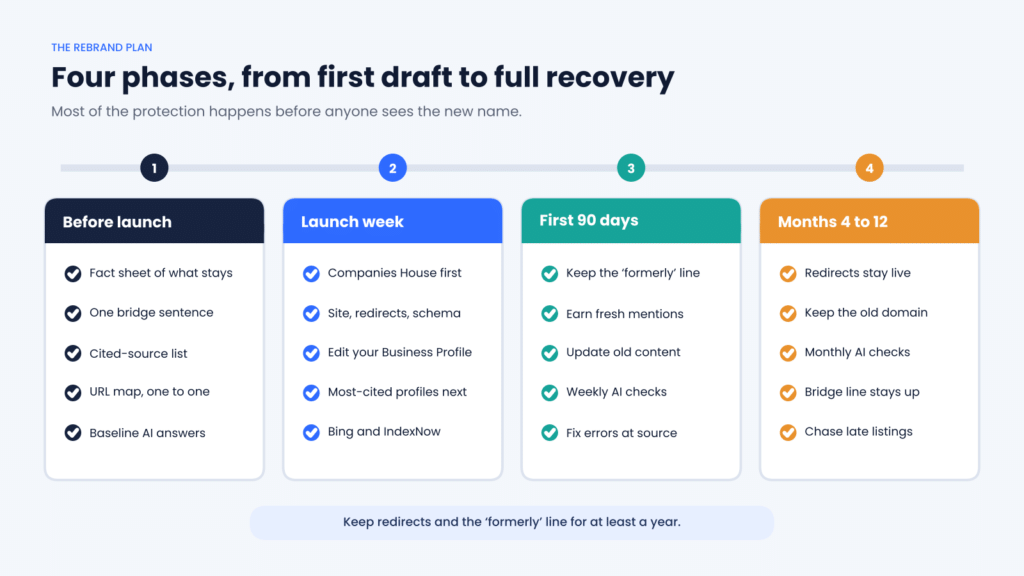
The four phases of a rebrand. Phase one does most of the protecting.
- Write a one-page fact sheet. Record the old and new names, the old and new domains and the date of the change. Then list everything that is not changing: the people, the address, the phone number, the services and the company number. That second list tells AI tools this is the same business, and it becomes the source for every update you make.
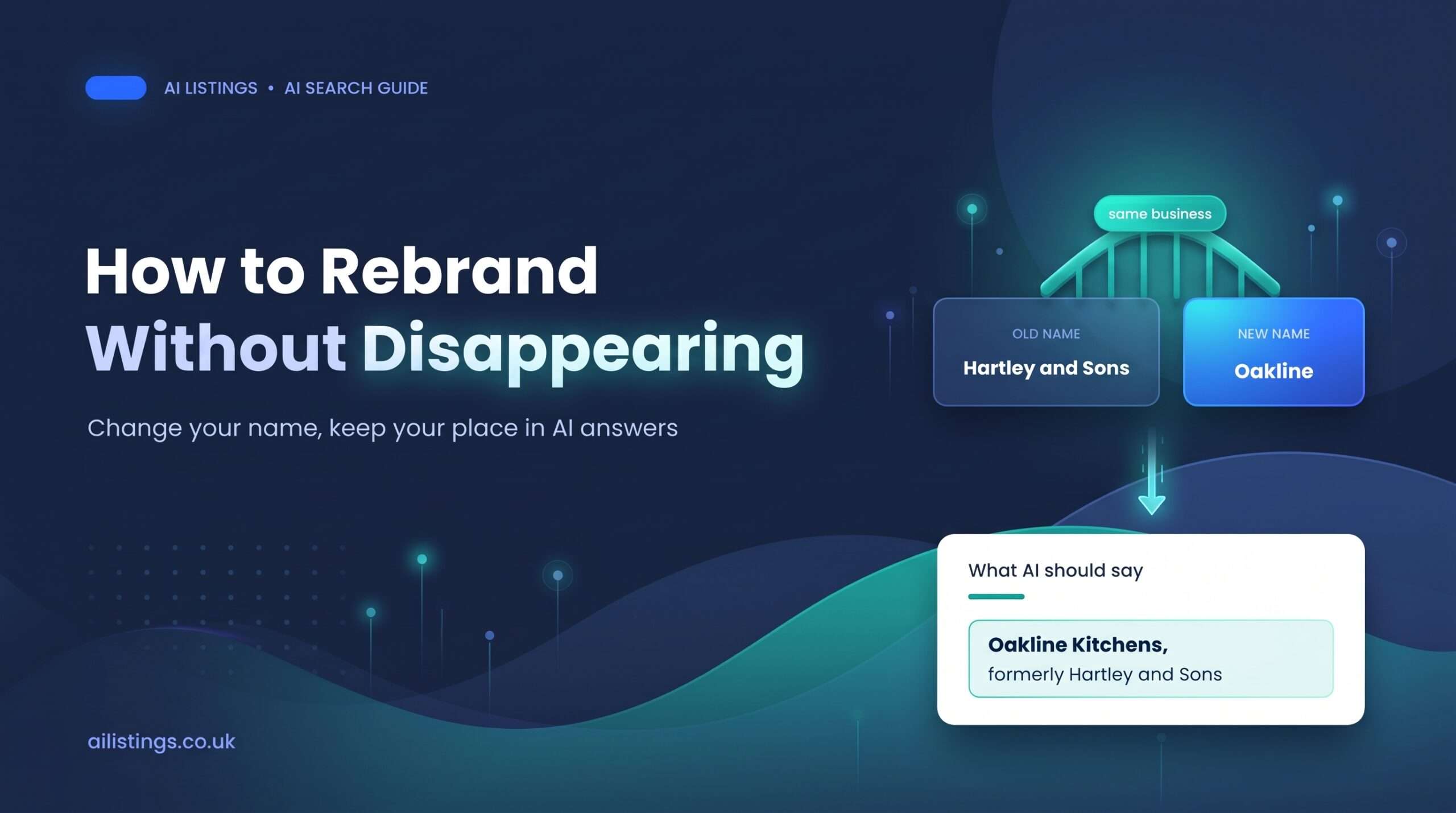
- Write your bridge sentence. This is one plain sentence that connects the two names, such as: Oakline Kitchens is the new name of Hartley and Sons, the Warrington kitchen fitter trading since 2009. Keep it short, factual and identical wherever it appears. AI tools lift short, self-contained statements far more readily than paragraphs of brand story, which is the principle behind writing content AI quotes word for word.
- List every place your old name lives. Start with your Google Business Profile, directories and review platforms, then social profiles, trade bodies, partner pages, press coverage and guest posts. An AI citation audit shows which of these sources AI tools actually cite for your business, so put those at the top. A source ChatGPT keeps quoting matters far more than a directory nobody reads.
- Map every URL. For a domain change, every important old URL needs a matching new one. Redirecting the whole old site to the new homepage is a common shortcut, and Google warns that it can be treated as an error. If your site has any complexity, this is where technical SEO support pays for itself.
- Record a baseline. Before anything changes, run the prompts your customers use and note what each AI tool says about you under the old name. Our guide to finding the exact prompts your customers ask AI explains how. Without a baseline, you cannot tell what the rebrand cost you or how quickly you recovered.
Launch week: change things in the right order
Order matters, because each step gives the next one something to point at.
- Make the legal change first. If you trade as a limited company and the registered name is changing, the new name is not official until Companies House registers it, as the GOV.UK guidance on changing a company name explains. The public register also keeps your previous company names on record, which gives AI tools and data providers an official link between the two names.
- Switch the website. Turn on permanent, page-to-page redirects, update the site name, logo and page titles, and publish a short announcement page built around your bridge sentence. Update the business details in your schema markup with the new name and add the old one as an alternate name, as covered in our guide to schema markup for AI search. For a new domain, submit a Change of Address in Search Console, keep the old domain registered and check that no crawler blocks are left over from the staging site.
- Update your Google Business Profile. Edit your existing profile rather than creating a new one wherever Google allows it, because your reviews and history belong to that profile. Google’s guidelines only treat a minor change as a rebrand on the same profile: the proper nouns and services in the name stay the same and the category is unchanged. A completely new name may be treated as a new business, so read the guidelines before launch. Either way, Google may ask you to verify again, so have photos of your new signage and documents showing the new name ready. Getting this right protects years of local SEO work.
- Update the most-cited profiles, then the long tail. Work down the list from your audit, starting with the sources AI tools cite most often. On review platforms, ask the support team to rename your existing profile rather than opening a new one, so your reviews come with you. For Bing, which feeds Microsoft Copilot, verify the new domain in Bing Webmaster Tools and use IndexNow so changes are picked up quickly, as our Copilot SEO guide explains.
The first 90 days: teach AI the connection
Launch is not the finish line. For the next few months, your job is to make the link between the two names impossible to miss.
Keep the old name visible, on purpose. This is the step most businesses get wrong. The instinct after a rebrand is to scrub the old name from everything. Resist it. Keep a short line such as ‘formerly Hartley and Sons’ on your About page and in your footer for at least a year, the same minimum Google suggests for redirects. That line is often what lets an AI tool connect a question about the old name to the business that exists today. The exception is your Google Business Profile name field, which should show only your real-world trading name.
Earn fresh mentions of the change. Every third-party page that says ‘Oakline Kitchens, formerly Hartley and Sons’ strengthens the bridge: a short piece in the local paper, a note in your trade body newsletter, an updated supplier page, a refreshed author bio on old guest posts. Independent sources carry more weight with AI tools than anything you say about yourself, which is why the trust signals that win recommendations also speed up a rebrand.
Update the content you control. Go through case studies, old blog posts and downloadable files that mention the old name and update them, changing the modified date only when the content genuinely changes. AI tools favour current sources, as our piece on content freshness explains, but a new date alone is not a refresh.
Check weekly, then monthly. Run your baseline prompts against the old name, the new name and your category, such as ‘best kitchen fitters in Warrington’. Watch for three warning signs: the old name described as closed, the new name described as having no history, or the two treated as rivals. One check proves very little, for reasons we cover in our guide to AI brand tracking, so track the pattern over time and fix each error at its source.
How long before AI tools catch up?
It varies by tool and by layer, and nobody can promise a date. Answers that rely on live search can reflect the new name within weeks of your pages being recrawled. Answers that rely on third-party sources move as fast as you can update those sources. Answers that rely on the model’s memory may keep using the old name until the provider releases an updated model, which is outside your control.
That is why the bridge matters more than speed. You cannot make a model forget your old name, but you can make sure that whenever it comes up, everything around it points to the business you are now. For a realistic sense of pace, see what to expect in your first 90 days of AI visibility work. If you track your LLM Visibility Score™ through the change, aim for a shallow dip and a steady recovery rather than a cliff.
A worked example: two kitchen fitters, two outcomes
Picture two fictional kitchen fitters in Warrington that rename in the same month. Their stories are built from mistakes and fixes that are common in real rebrands.
The first firm launched its new name and website on the same Monday. Every old page was redirected to the new homepage, the owner opened a fresh Google Business Profile, and the old name vanished from the website overnight. Six weeks later, ChatGPT still described the firm by its old name and called it well reviewed, pointing to a profile the owner no longer used. Asked about the new name, it found little information and suggested more established fitters. The firm had not lost its reputation. It had cut itself off from it.
The second firm, renaming from Hartley and Sons to Oakline Kitchens, spent a month preparing. It wrote a fact sheet and a bridge sentence, mapped every URL one to one and recorded what four AI tools said about it. On launch day it registered the change at Companies House, switched the site with page-to-page redirects and updated schema, and edited its existing profiles rather than starting new ones. Its local paper and trade association both ran a short note using the bridge sentence.
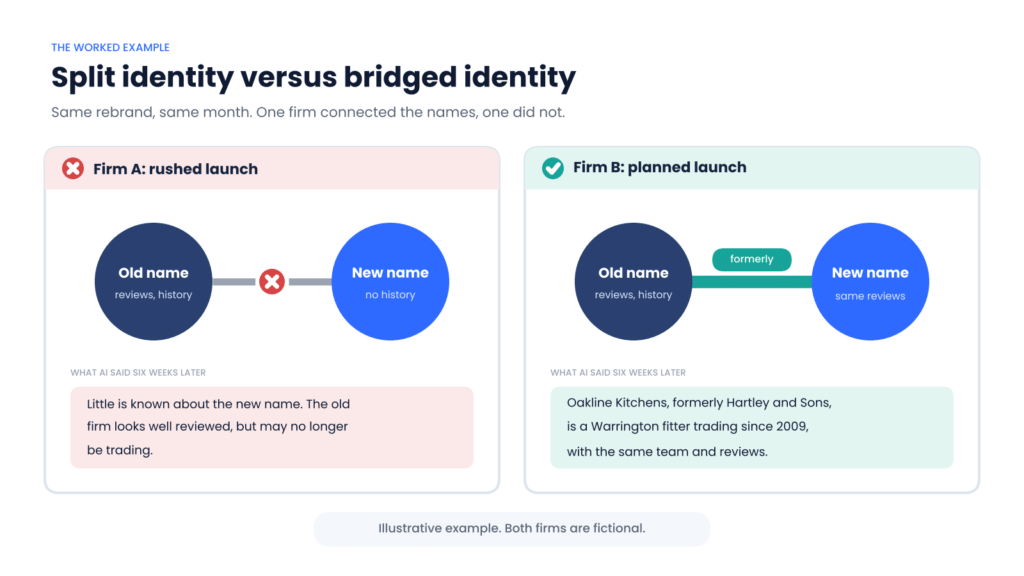
Firm A split its identity in two. Firm B gave AI tools a bridge to cross.
Six weeks in, answers that searched the web already described Oakline as formerly Hartley and Sons. Some answers drawn from memory still used the old name, but with the same address, team and reviews, so a customer who asked about either name found the same business. The rebrand cost the firm a few quiet weeks, not its reputation.
Common mistakes to avoid
- Opening a new profile instead of editing the old one. Where Google lets you edit the name, a new profile throws away your reviews and leaves two listings for AI tools to reconcile.
- Letting the old domain lapse. Google recommends keeping the old domain for at least a year. If it expires, your redirects go with it, and someone else can buy it.
- Scrubbing the old name completely. Without a visible ‘formerly’ line, nothing connects the old reputation to the new name.
- Leaving staging blocks in place. A robots.txt rule or noindex tag left over from development can hide the new site from Google and AI crawlers alike.
- Checking only Google. Rankings can recover while AI answers lag behind. Check the assistants your customers actually use.
Frequently asked questions
Will rebranding hurt my AI visibility?
It can for a while, but it does not have to cost you your reputation. Connect the old and new names clearly and consistently across your website, profiles and third-party sources, and most of that reputation carries across.
How long does it take ChatGPT to learn my new business name?
There is no fixed timescale. Answers that use live search can reflect the change within weeks of your new pages being crawled. Answers drawn from training data may use the old name until the model is updated, so keep stating the connection for at least a year.
Should I mention my old name on my new website?
Yes. A short, factual ‘formerly’ line on your About page and in your footer helps people and AI tools connect the two names. Keep it for at least a year, and keep the old name out of your Google Business Profile name field.
Do I need a new Google Business Profile after a rebrand?
Usually not, if the change is minor. Google allows a rebrand on the same profile when the proper nouns and services in the name stay the same and the category is unchanged. A completely different name may be treated as a new business, so check the guidelines first and expect to verify again either way.
Do I need to change my domain when I change my business name?
Not always. Keeping your existing domain for a while removes a whole layer of risk, because links, citations and cached pages keep working. If you do move, map every URL to its new equivalent, use permanent redirects and keep them in place for at least a year.
Plan the bridge before you change the sign
A rebrand is a rare chance to see an AI visibility problem coming and stop it. The businesses that come through cleanly told every source, in the same plain words, that the old and new names belong to the same company, and kept saying it until the answers caught up.
If you are planning a rebrand, merger or domain move, we can map where your current name appears in AI answers, build the bridge and track the recovery through The Shortlist System™. Our AI visibility optimisation services cover the assistants your customers use, and the best time to talk is before the new name goes public. Book a discovery call and we will show you what AI tools say about you today.